Point of sale and inventory for Philippine retail

Run the whole store, from the counter to the stockroom.

Sell, track every unit by batch and serial number across branches, handle warranty and repair jobs, and close each day with X and Z readings, on the web, on Windows and on Android.

OfflineKeeps selling
Every unitBatch + serial
PaymentsGCash, Maya, QR Ph
ClosingX and Z readings

Sample receipt for illustration.

What happens when you make a sale?

One scan and one payment move stock, serial history, the cashier's reading and every branch's numbers, all within seconds.

The problem

Notebooks and spreadsheets do not know what you just sold, so counts drift and shortages show up days later.

SALE #000128 · MAIN BRANCHCASHIER 2
  1. POSWireless mouse MX-220890.00
  2. SERIALSN-48213907 scanned
  3. POSUSB-C charger 20W450.00
  4. PAYGCash received1,340.00
  5. STOCKBatch B-0412, 40 to 39 units
  6. SERIALSN-48213907 marked sold
  7. READINGCashier 2 X-reading updated+1,340.00
  8. PRINTReceipt printed
  9. SYNCSaved and sent to the main office

Sample tape for illustration.

Stop guessing what is on the shelf.

Notebooks, spreadsheets and chat messages work until the store grows. C-Dyna POS keeps selling, stock, warranty and cash closing in one system.

Notebooks and spreadsheetsWith C-Dyna POS
Stock counted in a notebook or a spreadsheet that is never current.Every sale, transfer and return moves stock on the spot, by batch and serial number.
"Which unit did we sell to this customer?" Nobody can say.Each serial number has a full history: received, transferred, sold, returned, repaired.
The cashier closes the day and the owner finds out about shortages later.X and Z readings per cashier, with retail and reseller totals, printed or reviewed on screen.
Warranty claims and repairs tracked in chat messages.Repair jobs and warranty claims with supplier status, remarks and a history timeline.
The internet drops and the counter stops.The Windows app keeps selling offline and syncs by itself when the connection is back.

See your own numbers agree.

Sign in

Modern problems need a modern solution.

Whatever you sell, it fits. Pick your kind of store.

Store type01 / 16

Gadgets and electronics

The problem

A customer comes back with a faulty phone and nobody can say when it was sold or whether it is still under warranty.

With C-Dyna POS

Every unit is sold by serial number. Look up its full history, open a warranty claim with the supplier's status and remarks, and record the repair.

Serial numbersWarranty claimsRepair jobsFinancing
Store type02 / 16

Groceries and convenience

The problem

Fast-moving shelves, short-dated stock and long queues at the counter.

With C-Dyna POS

Scan barcodes, deduct first-expiring batches first, run promotions and loyalty points, and take GCash or Maya at the counter.

Barcode scanningBatchesPromotionsLoyalty points
Store type03 / 16

Pharmacies and health shops

The problem

Expiry dates and PWD or senior citizen discounts to get right on every single sale.

With C-Dyna POS

Track batches by expiry with first-expiring, first-out deduction, and apply PWD and senior citizen discounts at the counter.

Batches and expiryPWD and senior discountsAudit logsReceipts
Store type04 / 16

Food and drink counters

The problem

Combos and bundles where one ingredient runs out and the customer wants a swap.

With C-Dyna POS

Sell bundles at a fixed price, swap an ingredient for a single sale, and keep stock honest with batches and daily readings.

BundlesIngredient swapsBatchesX and Z readings
Store type05 / 16

Multi-branch chains

The problem

Stock and cash scattered across branches, and the owner cannot see it all in one place.

With C-Dyna POS

Each branch keeps its own stock and sales, staff see only their branch, and the main office sees everything and moves stock between branches.

BranchesStock transfersApprovalsMain office view
Store type06 / 16

Resellers and distributors

The problem

Retail and reseller prices tangled together, so nobody trusts the margins.

With C-Dyna POS

Reseller codes and pricing stay separate from retail in every report, with quotations, sales orders and receivables behind them.

Reseller pricingQuotationsSales ordersReceivables
Store type07 / 16

Repair and service shops

The problem

Jobs, parts and customer updates tracked in chat messages.

With C-Dyna POS

Record each repair job per branch from drop-off to pickup, with a history timeline for every job and the customer's details attached.

Repair jobsJob timelineCustomersBranches
Store type08 / 16

Appliance and hardware stores

The problem

Big-ticket items with warranties, quotations and installment payments.

With C-Dyna POS

Quote customers, take down payments on financed sales, track serials and warranties, and follow every receivable.

QuotationsFinancingDown paymentsReceivables
Store type09 / 16

Sari-sari and mini marts

The problem

Hundreds of small items, mixed cash and e-wallet payments, and no time to stop and count.

With C-Dyna POS

Scan or search items fast, take cash, GCash or Maya, and let stock deduct itself so a quick audit shows what to reorder.

Fast scanningCash and e-walletsStock auditsX readings
Store type10 / 16

Fashion and accessories

The problem

Seasonal stock, sale promotions and customers who want to be remembered.

With C-Dyna POS

Run promotions, reward repeat customers with loyalty points, count stock with audits, and move items between branches.

PromotionsLoyalty pointsStock auditsTransfers
Store type11 / 16

Beauty and cosmetics

The problem

Short-dated products and loyal customers who expect their points.

With C-Dyna POS

Track batches by expiry, deduct the oldest first, and keep customer records with loyalty points and promotions.

Batches and expiryCustomer recordsLoyalty pointsPromotions
Store type12 / 16

Bookstores and school supplies

The problem

Bulk orders from schools and offices that need a quotation and time to pay.

With C-Dyna POS

Send quotations with payment terms, turn them into sales orders for the cashier, and follow receivables until they are paid.

QuotationsSales ordersReceivablesBarcode scanning
Store type13 / 16

Auto parts and motorcycle shops

The problem

Batteries and parts with warranties, and customers who come back months later.

With C-Dyna POS

Sell by serial number, look up a unit's history, handle warranty claims with the supplier, and record repair jobs.

Serial numbersWarranty claimsRepair jobsQuotations
Store type14 / 16

Pet shops and farm supplies

The problem

Feed and medicine that expire, bought from suppliers in different quantities.

With C-Dyna POS

Track batches by expiry with first-expiring, first-out deduction, order from suppliers with purchase orders, and keep counts honest with audits.

Batches and expiryPurchase ordersSuppliersStock audits
Store type15 / 16

Computer and IT shops

The problem

Builds and parts with serial numbers, quotations for customers, and a warranty on every component.

With C-Dyna POS

Quote customers, sell parts by serial number, take down payments on financed sales, and track warranty claims with suppliers.

QuotationsSerial numbersFinancingWarranty claims
Store type16 / 16

Construction and building supplies

The problem

Contractors who order in bulk and pay later.

With C-Dyna POS

Quote jobs, send sales orders to the counter, keep reseller pricing for contractors, and follow every receivable.

QuotationsReseller pricingSales ordersReceivables

One system for the counter, the stockroom and the back office.

Eight modules share the same customers, products and staff, so nothing is typed twice and nothing drifts apart.

Point of sale

A counter that never stops. Scan items and serial numbers, take payment your customers actually use, and print the receipt in seconds.

  • Barcode and serial-number scanning, cart, and held sales
  • Cash, card, GCash, Maya and financing payments, with a merchant fee in percent or pesos
  • Down payments on financed sales and PWD / senior citizen discounts
  • Receipts on thermal printers and the Epson LX-310 dot-matrix printer
Sale #000128Main branch · Cashier 2Paid · GCash
ItemAmount

Updates the store as · point at a line above to follow it

Recorded automaticallyChange
Serial SN-48213907In stock → Sold
Batch B-0412, Main branch40 → 39 units
Cashier 2 X-reading+ ₱1,340.00

One sale, three records. Stock, serial history and the cashier's reading all update together. Sample figures.

Inventory

Know every unit by batch and serial number. Stock comes off first-expiring, first-out, and each unit keeps its own history.

  • Batch tracking with first-expiring, first-out stock deduction
  • Serial numbers with a full movement history for every unit
  • Stock transfers between branches, audits, and returns to supplier (RTS)
  • Barcode generator, purchase orders and supplier management
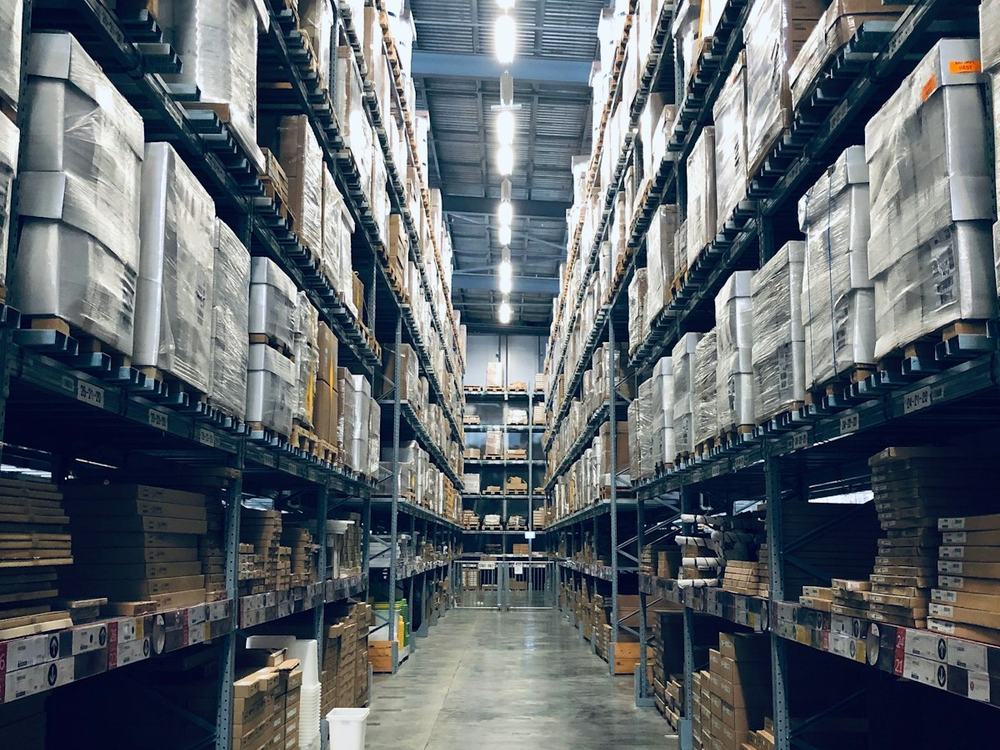
A warehouse aisle with wrapped pallets on tall shelving

Reports and analytics

Close every day with an X or Z reading per cashier, with retail and reseller sales kept apart, and review the numbers in fifteen analytics tabs.

  • X-readings and Z-readings per cashier, with retail and reseller totals
  • Printable reading breakdowns, expense reports and transaction lists
  • Fifteen analytics tabs and an AI assistant for questions about your data
X-READING · CASHIER 2Main branch · Today
Retail sales
₱ 14,970.00
Reseller sales
₱ 3,450.00
Total sales (42 transactions)
₱ 18,420.00
Cash
₱ 9,120.00
GCash
₱ 6,300.00
Card
₱ 3,000.00
Total collected
₱ 18,420.00
Sample reading for illustration.

And the rest of the store

  • Sales documents

    • Sales quotations with payment terms and client information
    • Sales orders that can be sent to a cashier at the POS
    • Account receivables with payment tracking
  • Customers and resellers

    • Customer records, loyalty points and promotions
    • Reseller codes and reseller pricing, kept separate from retail in the reports
    • Customer check lists and purchase history
  • Service and warranty

    • Repair jobs recorded per branch, from drop-off to pickup
    • Warranty claims with the customer's number, supplier status and remarks
    • A history timeline for each claim, like the serial history of a unit
  • Employees and access

    • Roles and detailed permissions for every module
    • Attendance, schedules, timecards and payroll hours
    • Approvals for sensitive actions, and logs of who did what
  • Branches

    • Many branches under one company, each with its own stock and sales
    • Branch-level access, so staff only see their own branch
    • A main office view across all branches

C-Dyna POS gives your store no excuse to run on guesswork.

We built it so selling, counting and closing just work.

Z-READING · MAIN BRANCHTODAY
Total sales₱ 18,420.00
Transactions
42
Cash
₱ 9,120.00
GCash
₱ 6,300.00
Card
₱ 3,000.00

Sample reading for illustration.

Not just a cash register.
It thinks like a store owner.

Every screen is built around what the counter, the stockroom and the manager actually do all day.

SKU CD-01

Made for Philippine retail

GCash, Maya, QR Ph, VAT receipts and PWD / senior discounts

SKU CD-02

Batch and serial tracking

Every unit has its own history

SKU CD-03

Keeps selling offline

Sales sync when the internet returns

SKU CD-04

One account, three apps

Web, Windows and the Android scanner

SKU CD-05

Roles and approvals

People see only what their job needs

SKU CD-06

Many branches

One company, separate stock and sales

The internet drops. The counter doesn't.

The Windows app saves every sale on the terminal and syncs by itself when the connection is back.

TERMINAL 2 · WINDOWS APPOnlineOffline, still sellingBack online
Sales today on this terminalSales saved on this terminalSales synced to the cloud5
  • #000129₱ 450.00
  • #000130₱ 1,240.00
  • #000131₱ 890.00
  • #000132₱ 300.00
  • #000133₱ 2,150.00

Sample for illustration.

From the first sale to the closing report in three steps.

  1. Set up the store

    Your administrator creates the company, branches, products and staff accounts, and decides what each role can open.

  2. Sell all day

    Cashiers scan items and serial numbers, take cash, card, GCash, Maya or financing, and print the receipt. Stock updates as each sale is made.

  3. Close and review

    Each cashier closes with an X or Z reading. Managers review sales, stock movements, approvals and logs from any branch they can access.

Every unit keeps its full story.

Open a serial number and see where it came from, where it went, who bought it and what happened after.

  • Serial history. Received, transferred, sold, returned and repaired, in order.
  • Approvals and logs. Sensitive actions can need a manager, and the logs show who did what.
  • Role-based access. People see and do only what their role and branch allow.
Wireless mouse MX-220SN-48213907
  1. ReceivedMain branch, from supplier
    PO-0123
  2. TransferredMain branch to Branch 2
    TR-0041
  3. SoldPaid with GCash at Branch 2
    #000128
  4. Warranty claim openedCustomer reported a fault
    WC-0007
  5. Returned to supplierSupplier replacement approved
    RTS-0012
Example history of one unit.
  • Separated by company

    Every company's data is isolated. Nobody can see another company's sales, stock or customers.

  • Roles and permissions

    Cashier, manager and owner roles, with detailed permissions for every module and branch.

  • Approvals and logs

    Sensitive actions can require a manager's approval, and the logs show who did what and when.

  • A history for every unit

    Each serial number keeps its movement history, so a returned or repaired unit can be traced end to end.

A view for every role.

The counter, the stockroom and the office look at the same numbers. Each person sees the screens and actions that match their job.

A team of four colleagues reviewing work together at a computer
  • Cashier

    Sells at the counter, scans items and serial numbers, takes payment and closes the shift with a reading.

    POS counterHeld salesShift closing
  • Manager

    Runs a branch: stock, transfers, approvals, schedules and reports, within the permissions they are given.

    StockTransfersApprovalsReports
  • Owner or administrator

    Sets up branches, staff and permissions, and sees across the whole company from the main office.

    All branchesStaff and permissionsSettings

One account on the web, Windows and Android.

The team can pick what fits each job: the Windows app for the counter, the browser for the office, the scanner for the stockroom.

Windows app

The full system as a desktop program for the counter. It keeps selling when the internet drops, syncs when it returns, and updates itself in the background.

Windows 10 or later, 64-bit. 4 GB of memory, 500 MB of disk.

Download →

Web app

Sign in from any modern browser. Nothing to install, and it is always the latest version. Best for the office and for managers on the move.

Any modern browser, with an internet connection.

Sign in →

Android scanner

Turns a phone or a rugged handheld into a scanner for the same account. Check receipts, look up serial histories and count stock, with results shown on the desktop in real time.

An Android phone or rugged handheld.

Get the app →

Latest versions

Windows app

…

Android scanner

…

Web app

Always current

Built around how Philippine stores sell.

Pesos, VAT, GCash and the discounts your customers ask for are part of the sale, not an add-on.

  • Philippine payments

    Cash, card, GCash, Maya and financing providers, with QR Ph through PayMongo and Xendit.

  • Discounts at the counter

    PWD and senior citizen discounts, plus promotions and loyalty points, applied on the sale.

  • VAT and non-VAT receipts

    Peso amounts throughout, with receipts for VAT and non-VAT sales.

Sample receipt for illustration.

Frequently asked questions

Does it work when the internet is down?

Yes, in the Windows app. Sales are saved on the terminal first and synced to the cloud when the connection returns. The web app needs a connection, so use the Windows app at counters where the internet is unreliable.

What do I need to run it?

The web app runs in any modern browser. The Windows app needs Windows 10 or later (64-bit), 4 GB of memory and about 500 MB of free disk space. The scanner app runs on Android phones and rugged handhelds.

Can I track serial numbers and batches?

Yes. Stock can be tracked by batch, with first-expiring first-out deduction, and by serial number, with a full movement history for every unit: received, transferred, sold, returned and repaired.

Can one company run several branches?

Yes. Each branch has its own stock and sales, staff can be limited to their own branch, and the main office can see across all of them. Stock can be transferred between branches.

Which payments and printers does it support?

Cash, card, GCash, Maya and financing providers, with QR Ph through PayMongo and Xendit. Receipts print on thermal printers and the Epson LX-310 dot-matrix printer, and it works with barcode scanners, cash drawers and customer displays.

Is my store's data private from other companies?

Yes. Every company's data is isolated, and roles and permissions decide who can see or change each module and branch within your own company.

How are repairs and warranty claims handled?

Repair jobs are recorded per branch from drop-off to pickup. Warranty claims keep the customer's number, supplier status and remarks, with a history timeline for every claim.

How do I get an account?

Accounts are created by your company's administrator. To set up a new store, write to hello@soltryxsolutions.com.

How are updates delivered?

The web app is always the latest version. The Windows app checks for updates by itself and installs them in the background when it is safe to restart.

Works with the tools you already use

Payments, printers and scanners it connects to.

GCashMayaQR PhPayMongoXenditCashCardFinancing
Epson LX-310Thermal printersBarcode scannersCash drawersCustomer displaysAndroid scanner